Toby the Robo Dog 🐶
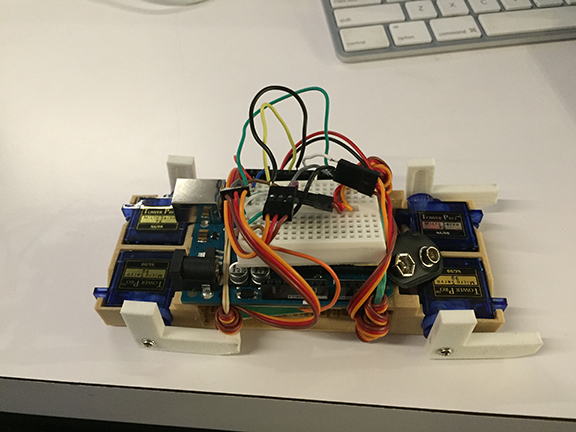
Too Lazy to Buy Pet Food? Why Not Get a Robot Dog?
This project continues Mini Virtual Pet. My goal was to create a physical robot dog that users could interact with through a desktop application based on the virtual pet’s interface and gameplay.
Build Process
I started by researching the components I needed: four servos and one ultrasonic sensor. I used an Arduino as the main control board.
I connected all four servos to the Arduino, then modeled and 3D-printed several test enclosures for them.
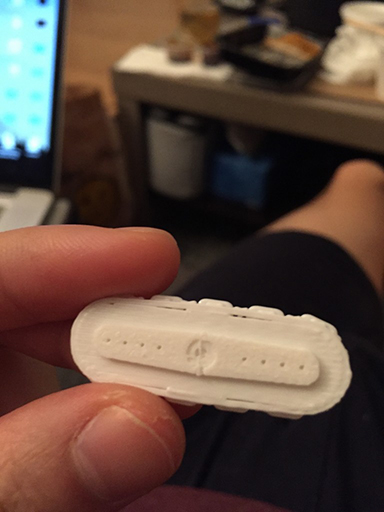
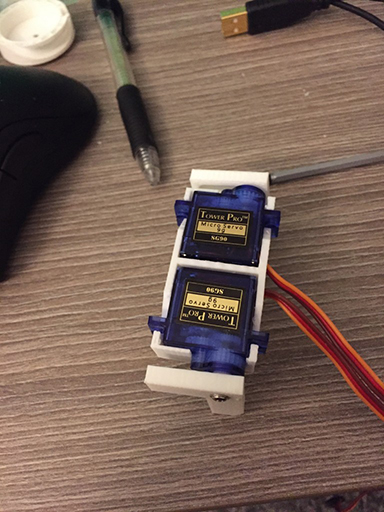
3D preview requires JavaScript and WebGL. You can download the STL below.
Drag to rotate · Scroll or pinch to zoom · Arrow keys rotate · +/− zoom · Home resets
Download STL: servo enclosure test 13D preview requires JavaScript and WebGL. You can download the STL below.
Drag to rotate · Scroll or pinch to zoom · Arrow keys rotate · +/− zoom · Home resets
Download STL: servo enclosure test 23D preview requires JavaScript and WebGL. You can download the STL below.
Drag to rotate · Scroll or pinch to zoom · Arrow keys rotate · +/− zoom · Home resets
Download STL: servo enclosure test 3
Then I began working on the robot’s legs.
3D preview requires JavaScript and WebGL. You can download the STL below.
Drag to rotate · Scroll or pinch to zoom · Arrow keys rotate · +/− zoom · Home resets
Download STL: leg test 13D preview requires JavaScript and WebGL. You can download the STL below.
Drag to rotate · Scroll or pinch to zoom · Arrow keys rotate · +/− zoom · Home resets
Download STL: leg test 2 left3D preview requires JavaScript and WebGL. You can download the STL below.
Drag to rotate · Scroll or pinch to zoom · Arrow keys rotate · +/− zoom · Home resets
Download STL: leg test 2 rightAfter finishing the basic components, I built a unibody frame that could hold all four servos and carry the Arduino board.
3D preview requires JavaScript and WebGL. You can download the STL below.
Drag to rotate · Scroll or pinch to zoom · Arrow keys rotate · +/− zoom · Home resets
Download STL: Unibody frameI connected the essential parts and wrote the Arduino program that made the robot walk.
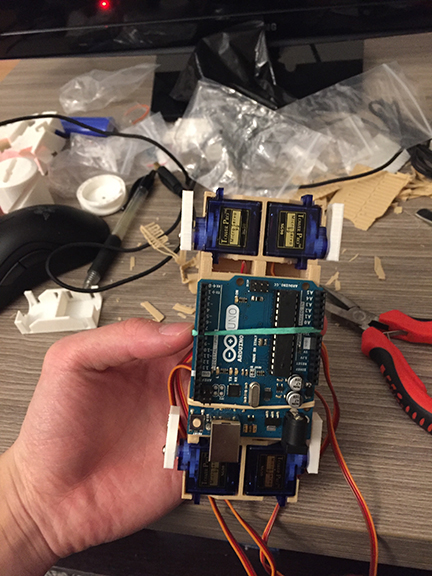
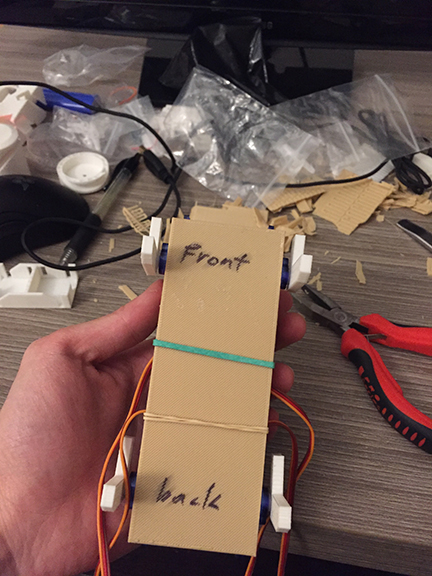
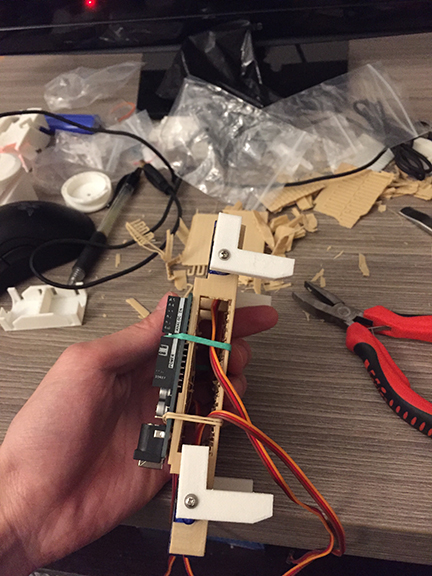
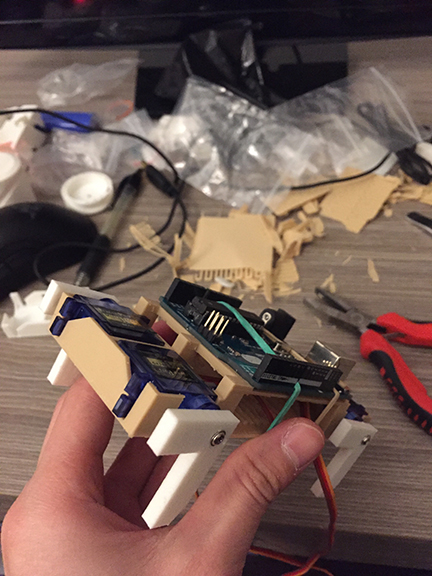
Test Walk
I added an ultrasonic distance sensor so users could physically interact with the robot.
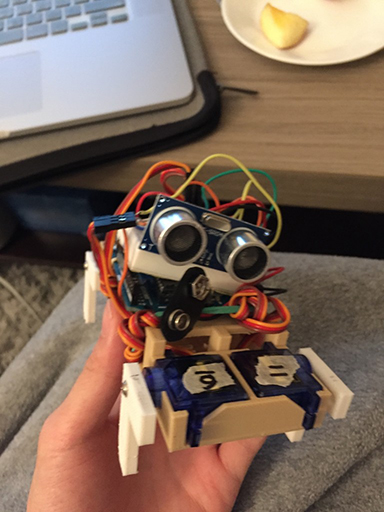
I researched several ways for my laptop to communicate with the Arduino and found Bluetooth to be the most efficient.
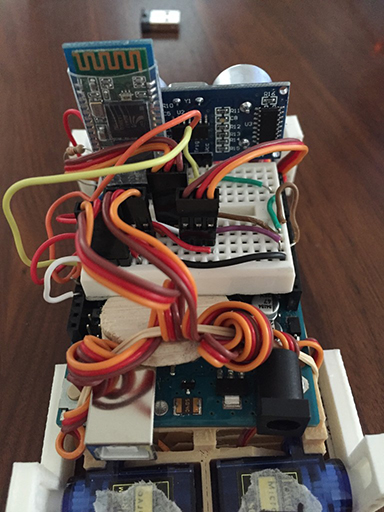
I started building a virtual interface that let users control the robot from their computers. I based the design on a Tamagotchi game I had made earlier.
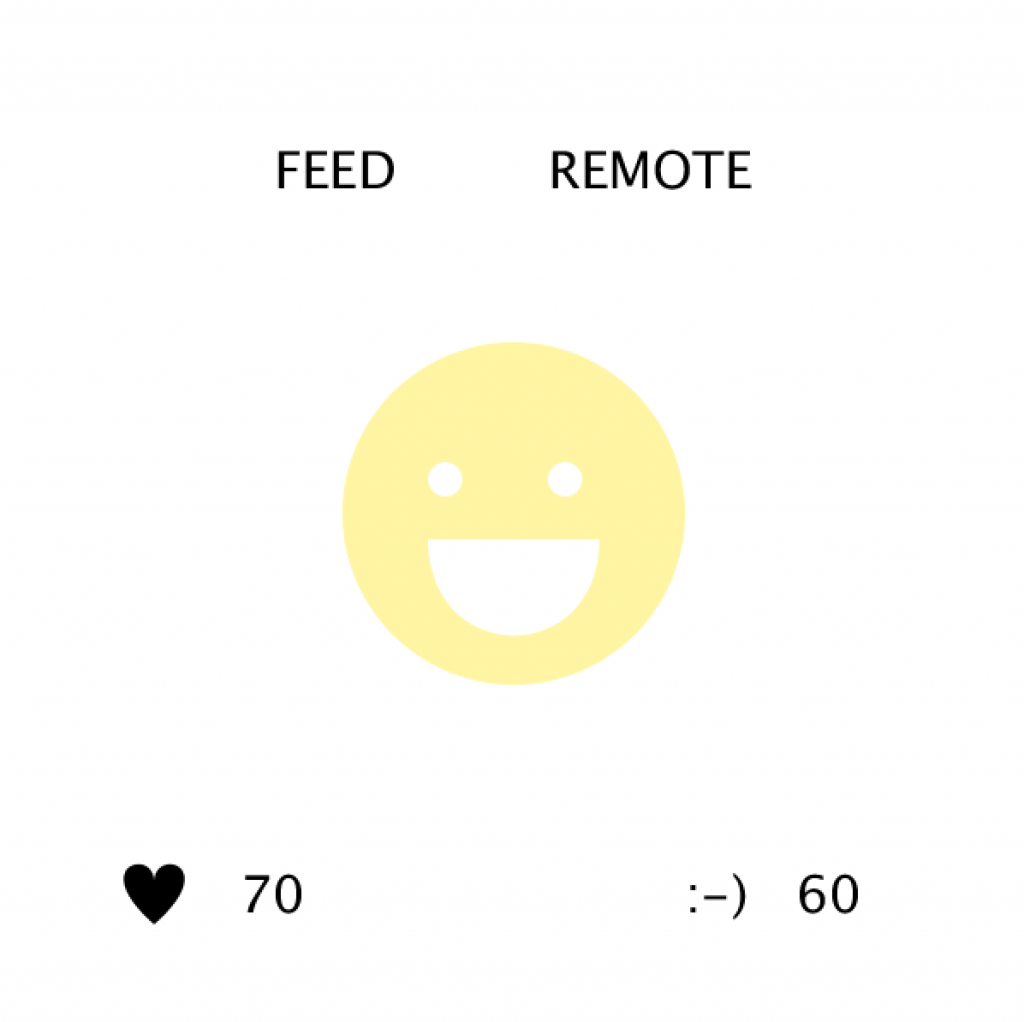
There are two indicators: a heart and a happy face.
The heart shows the pet’s health. The pet dies if it reaches zero.
The happy face shows the pet’s mood. It turns from yellow to red when the happiness level drops below 40, which means the pet is mad.
The home page has two options: FEED and REMOTE.
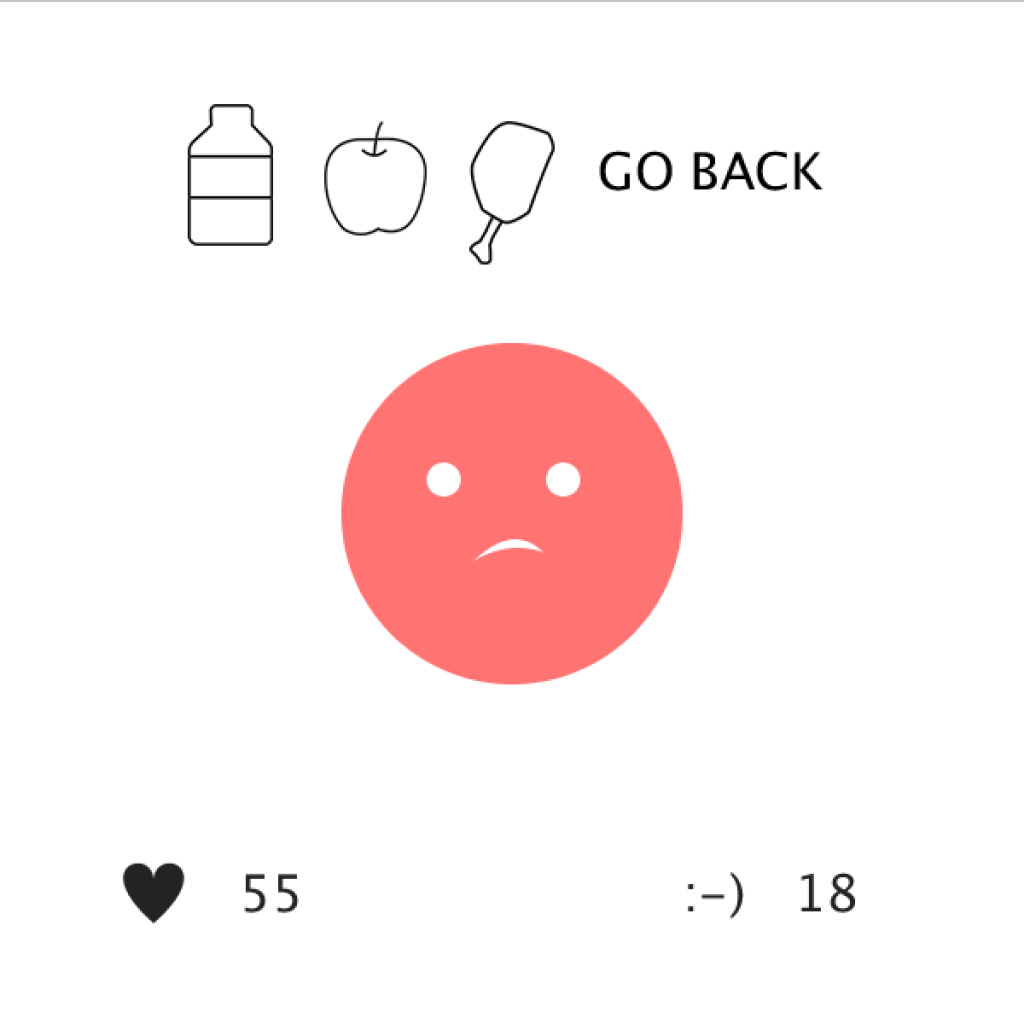
FEED lets the user choose what to give the pet: milk, an apple, or meat.
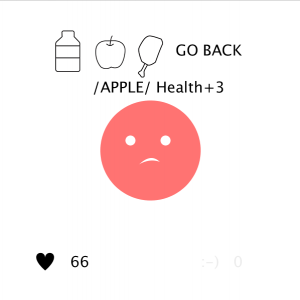
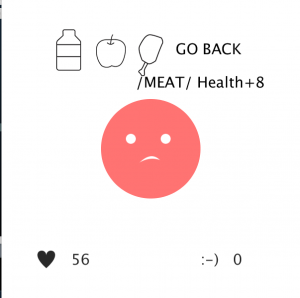
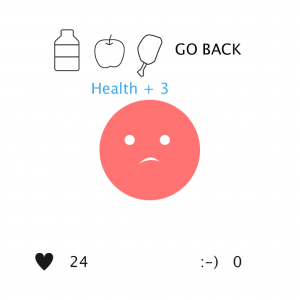
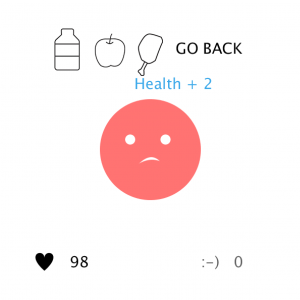
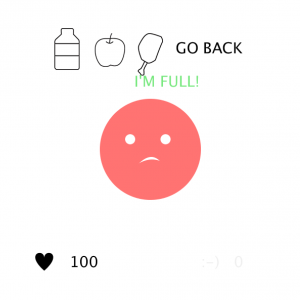
REMOTE lets the player control the robot. 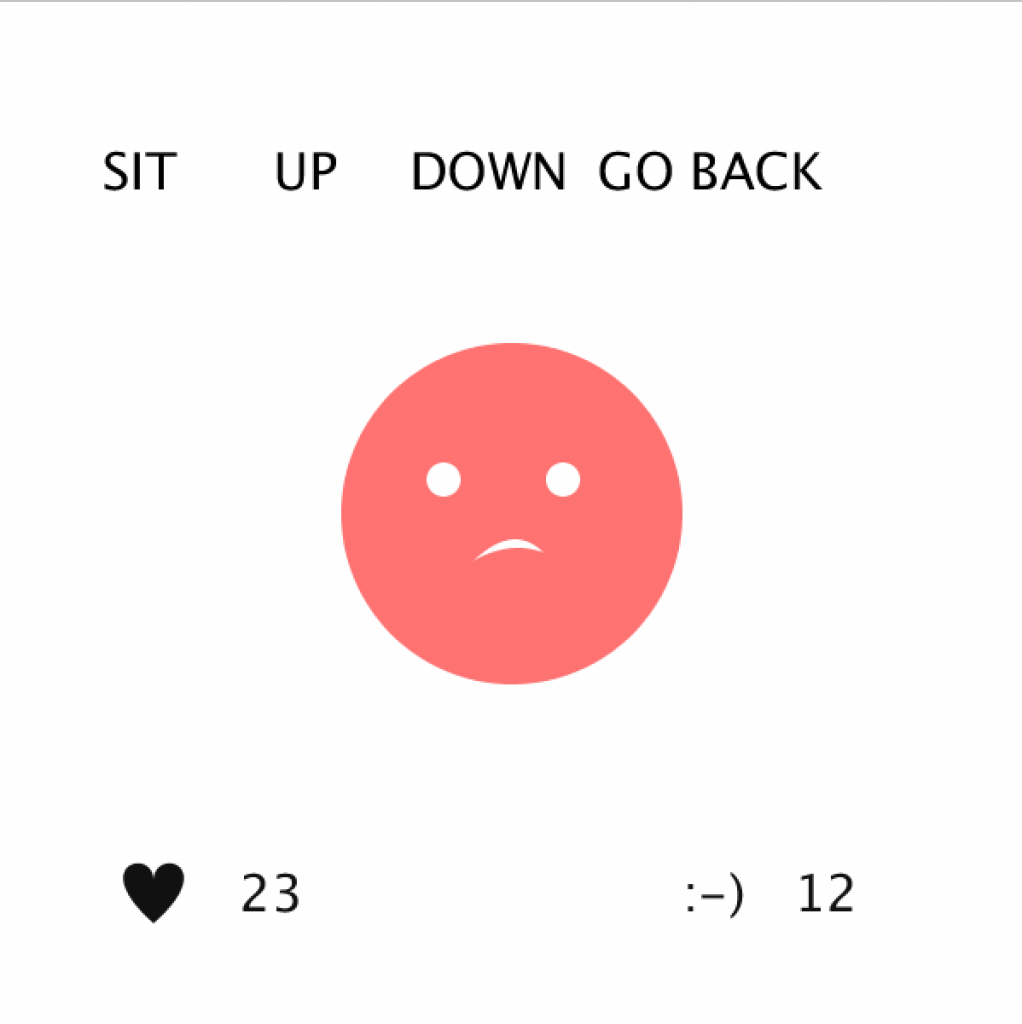
The robot remains physically interactive outside the REMOTE tab, meaning it responds to the user automatically.
On the REMOTE page, the user can press S to make the robot sit, U to make it stand, and D to make it lie down.
If its health reaches zero, the pet dies and the robot plays dead. 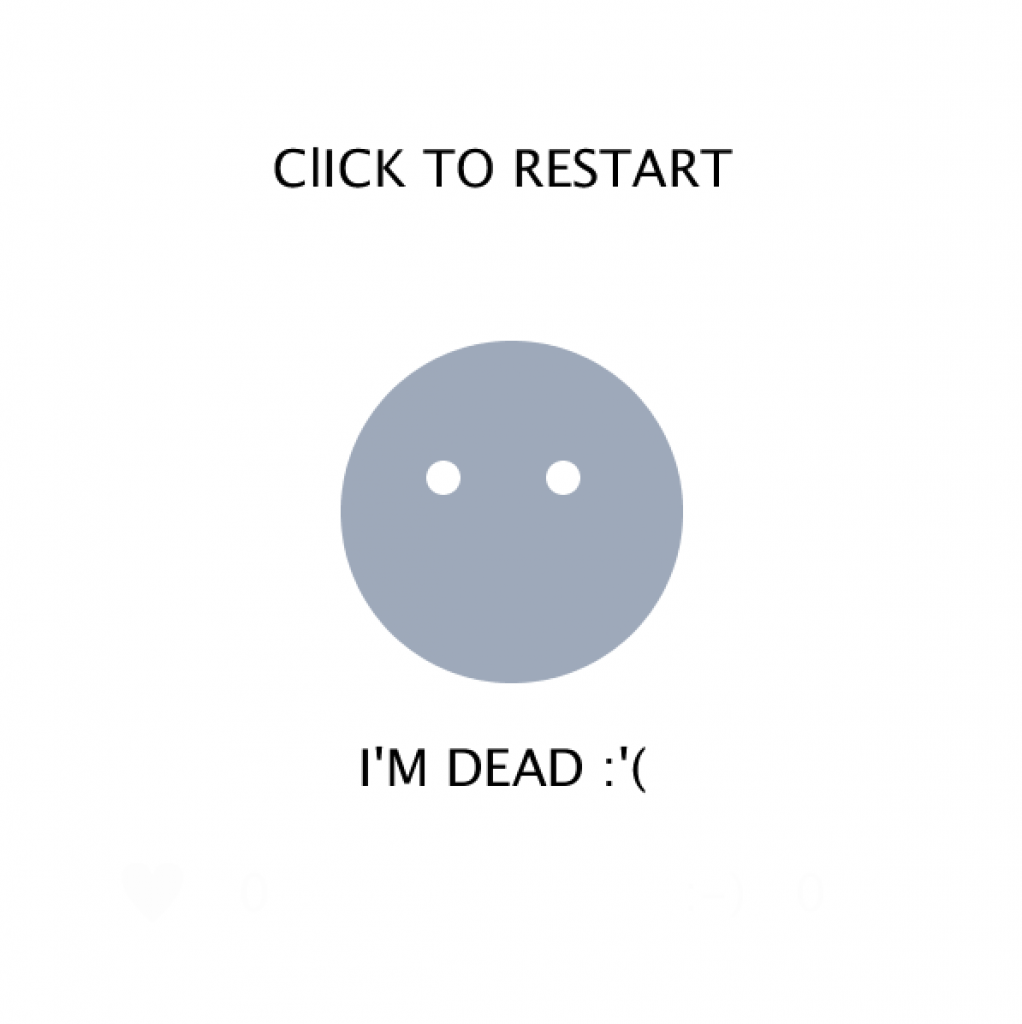
Robot Code
robot_v2.ino
#include <Servo.h>
Servo myservo1;
Servo myservo2;
Servo myservo3;
Servo myservo4;
int caseState;
int interval = 100;
int pos;
int pos2;
int echoPin = 13;
int trigPin = 12;
float counter;
float pingTime;
float distance;
float speedOfSound = 776.5;
int timer;

//bluetooth
char val;

void setup() {
  pinMode(trigPin, OUTPUT);
  pinMode(echoPin, INPUT);
  myservo1.attach(9);
  myservo2.attach(10);
  myservo3.attach(11);
  myservo4.attach(6);
  Serial.begin(9600);
}


void loop() {
  if (Serial.available()) {
    val = Serial.read();
  }
  if (val == 'A') caseState = 0;
  if (val == 'B') caseState = 1;
  if (val == 'C') caseState = 2;
  if (val == 'D') caseState = 3;
  if (val == 'E') caseState = 4;
  if (val == 'X') {
    if (distance <= 4) {
      caseState = 3;
      timer--;
      if (timer <= 0 && distance <= 4) {
        caseState = 0;
      }
    } else {
      caseState = 2;
    }
  }
  logic();
  proximity();
  //debug();

}
logic.ino
void logic() {
  long start = millis();
  switch (caseState) {
    case 0:
      timer = 0;
      myservo1.write(180);
      myservo3.write(0);
      myservo2.write(0);
      myservo4.write(180);
      break;
    case 1:

      myservo1.write(90);
      myservo3.write(90);
      myservo2.write(90);
      myservo4.write(90);

      break;

    case 2:
      timer = (int)random(50, 300);
      counter = 128 + 127 * cos (0.25 * PI / interval * (interval - start));
      pos = map(counter, 0, 255, 40, 135);
      pos2 = map(counter, 0, 255, 135, 40);
      myservo1.write(pos);
      myservo3.write(pos2);
      myservo2.write(pos);
      myservo4.write(pos2);
      break;

    case 3:
      myservo1.write(155);
      myservo3.write(90);
      myservo2.write(25);
      myservo4.write(90);
      break;
    case 4:// dead
      myservo1.write(40);
      myservo3.write(0);
      myservo2.write(30);
      myservo4.write(40);
      break;
  }
}
proximity.ino
void proximity() {
  digitalWrite(trigPin, LOW);
  digitalWrite(trigPin, HIGH);
  digitalWrite(trigPin, LOW);

  pingTime = pulseIn(echoPin, HIGH);
  pingTime = pingTime / 1000000;
  pingTime = pingTime / 3600;
  distance = speedOfSound * pingTime;
  distance = distance / 2;
  distance = distance * 63360;
}
debug.ino
void debug(){
  Serial.print("Servo Degree(9,10)= \t");
  Serial.print(pos);
    Serial.print("\tServo Degree(11,6)= \t");
  Serial.print(pos2);
  Serial.print("\tDistance= \t");
  Serial.print(distance);
  Serial.print("\tcaseState= \t");
  Serial.print(caseState);
  Serial.print("\tTimer= \t");
  Serial.print(timer);
  Serial.println();
}
Interface Code
virtual_pet_interface.ino
import processing.serial.*;
Serial port;

int caseState;
int duration = 5000;
int interval = 100;
int health = 100;
int happy =100;
int selectState;
int s;
int u;
int d;

long prevTime;
float heartc;
float happyc;
float counter;

PImage apple;
PImage milk;
PImage meat;

boolean feedMilk = false;
boolean feedApple = false;
boolean feedMeat = false;

void setup() {
  size(600, 600);
  // reference: https://processing.org/reference/libraries/serial/Serial.html
  port = new Serial(this, Serial.list()[1], 9600); //establish bluetooth connection
  println("Available serial ports:" + port);
  smooth();
  noStroke();
  textSize(30);
  apple = loadImage("img/apple.png");
  milk = loadImage("img/milk.png");
  meat = loadImage("img/meat.png");
}

void draw() {
  background(255);
  long start = millis();
  counter = 128 + 127 * cos(0.25 * PI/interval * (interval - start));
  heartc = map(counter, 0, 255, 255, 0);
  happyc = map(counter, 0, 255, 255, 0);

  if (start - prevTime >= duration) {
    prevTime = start;

    if (health <= 5) {
      health = 0;
      caseState = 3; //go to end game
    } else {
      health -= 2;
    }

    if (happy <= 8) {
      happy = 0;
    } else {
      happy -= random(3, 8);
    }
  }

  display();
  emotion();
  logic();

}


void reset() {
  caseState = 0;
  selectState = 0;
  health = 100;
  happy = 100;
}

void mouseClicked() {
  if (selectState == 1) {
    caseState = 1;
    selectState =3;
  }
  if (selectState == 2) {
    caseState = 2;
    selectState = 5;
  }

  if (selectState == 4) {
    caseState = 0;
    selectState =0;
  }

  if (selectState == 9) {
    caseState = 0;
    selectState =0;
  }
  if (caseState == 3) reset();

  if (feedMilk == true) {
    if (health <= 95) {
      health+=5;
    } else {
      health += 100-health;
    }
  }

  if (feedApple == true) {
    if (health <= 97) {
      health+=3;
    } else {
      health += 100-health;
    }
  }

  if (feedMeat == true) {
    if (health <= 92) {
      health+=8;
    } else {
      health += 100-health;
    }
  }
}
logic.ino
void logic() {
  pushMatrix();
  translate(10, 10);
  select();
  switch(caseState) {
  case 0:
    port.write('X');
    if (mouseY >=63 && mouseY <=113) {
      if (mouseX >=125 && mouseX <=245) selectState = 1;
      if (mouseX >= 300 && mouseX <=430) selectState = 2;
    } else {
      selectState = 0;
    }
    break;

  case 1:
    port.write('X');
    if (mouseY >=63 && mouseY <=113) {
      if (mouseX >= 330 && mouseX <=480) selectState = 4;
    } else {
      selectState = 3;
    }

    break;

  case 2:
    if (mouseY >=63 && mouseY <=113) {
      if (mouseX >= 330 && mouseX <=480) selectState = 9;
    } else {
      selectState = 5;
    }
    if (keyPressed) {
      if (key == 's' || key == 'S') {
        port.write('D');
        s = #9EA9BA;
        if(happy < 100){
          happy++;
        }else{
          happy+=0;
        }
      } else {
        s = 0;
      }
      if (key == 'u' || key == 'U') {
        port.write('B');
        u = #9EA9BA;
          if(happy < 100){
          happy++;
        }else{
          happy+=0;
        }
      } else {
        u = 0;
      }

      if (key == 'd' || key == 'D') {
        port.write('A');
        d = #9EA9BA;
          if(happy < 100){
          happy++;
        }else{
          happy+=0;
        }
      } else {
        d = 0;
      }
    }
    break;

  case 3:
    text("I'M DEAD :'(", 200, 450);
    selectState = 8;
    happy = 0;
    port.write('E');
    break;
  }

  popMatrix();
}

void select() {
  switch(selectState) {
  case 0: //no hover
    fill(0);
    text("FEED", 150, 100);
    text("REMOTE", 310, 100);
    break;

  case 1: // hover feed
    fill(20);
    rect(125, 63, 120, 50);
    fill(255);
    text("FEED", 150, 100);
    fill(0);
    text("REMOTE", 310, 100);
    break;

  case 2: //hover remote
    fill(20);
    rect(300, 63, 135, 50);
    fill(0);
    text("FEED", 150, 100);
    fill(255);
    text("REMOTE", 310, 100);
    break;

  case 3: //feed no selection state
    fill(0);
    image(milk, 100, 50);
    //rect(260, 50, 60, 100); position rect
    image(apple, 180, 60);
    image(meat, 265, 60);
    text("GO BACK", 340, 100);
    if (mouseX >= 100 && mouseX <= 160 && mouseY >= 50 && mouseY <= 150) {
      if (mousePressed == true) {
        feedMilk = true;
        if (health <= 95) {
          fill(#3CA9EA);
          text("Health + 5", mouseX-40, mouseY+60);
        } else {
          if (health == 100) {
            fill(#76E87D);
            text("I'M FULL!", mouseX-40, mouseY+60);
          } else {
            fill(#3CA9EA);
            text("Health + " + (100-health), mouseX-40, mouseY+60);
          }
        }
      } else {
        text("/MILK/ Health+5", mouseX-40, mouseY+60);
        feedMilk = false;
      }
    }
    if (mouseX >= 180 && mouseX <= 240 && mouseY >= 50 && mouseY <= 150) {
      if (mousePressed == true) {
        feedApple = true;
        if (health <= 97) {
          fill(#3CA9EA);
          text("Health + 3", mouseX-40, mouseY+60);
        } else {
          if (health == 100) {
            fill(#76E87D);
            text("I'M FULL!", mouseX-40, mouseY+60);
          } else {
            fill(#3CA9EA);
            text("Health + " + (100-health), mouseX-40, mouseY+60);
          }
        }
      } else {
        text("/APPLE/ Health+3", mouseX-40, mouseY+60);
        feedApple = false;
      }
    }
    if (mouseX >= 260 && mouseX <= 320 && mouseY >= 50 && mouseY <= 150) {
      if (mousePressed == true) {
        feedMeat = true;
        if (health <= 92) {
          fill(#3CA9EA);
          text("Health + 8", mouseX-40, mouseY+60);
        } else {
          if (health == 100) {
            fill(#76E87D);
            text("I'M FULL!", mouseX-40, mouseY+60);
          } else {
            fill(#3CA9EA);
            text("Health + " + (100-health), mouseX-40, mouseY+60);
          }
        }
      } else {
        text("/MEAT/ Health+8", mouseX-40, mouseY+60);
        feedMeat = false;
      }
    }
    break;

  case 4: // feed selected go back
    fill(20);
    rect(330, 63, 150, 50);
    image(milk, 100, 50);
    image(apple, 180, 60);
    image(meat, 265, 60);
    fill(255);
    text("GO BACK", 340, 100);
    break;

  case 5: //remote no select
    fill(s);
    text("SIT", 50, 100);
    fill(u);
    text("UP", 150, 100);
    fill(d);
    text("DOWN", 230, 100);
    fill(0);
    text("GO BACK", 340, 100);


    break;

    case 8:
    fill(0);
    text("ClICK TO RESTART",150,100);
    break;

  case 9: //remote selected go back
    fill(0);
    text("SIT", 50, 100);
    //rect(260, 50, 60, 100); position rect
    text("UP", 150, 100);
    text("DOWN", 230, 100);
    fill(20);
    rect(330, 63, 150, 50);
    fill(255);
    text("GO BACK", 340, 100);
    break;
  }
}
display.ino
void display() {
  pushMatrix();
  translate(width/2, height/2);
  fill(0);
  if (health !=0) {
    if (happy>=40) {
      fill(#FFF5A3); //yellow
    } else {
      fill(#FF7372);// red
    }
  } else {
    fill(#9EA9BA);//dead
  }

  ellipseMode(CENTER);
  ellipse(0, 0, 200, 200);
  popMatrix();

  pushMatrix();
  translate(40, 500);
  beginShape();

  if (health <= 60) {
    fill(heartc);
    text("HUNGRY!", 200, 450);
  } else {
    fill(0);
    text("", 200, 450);
  }

  vertex(50, 15);
  bezierVertex(50, -5, 90, 5, 50, 40);
  vertex(50, 15);
  bezierVertex(50, -5, 10, 5, 50, 40);
  endShape();
  text(health, 100, 33);
  if (happy <= 40) {
    fill(happyc);
  } else {
    fill(0);
  }
  text(":-)   " + happy, 360, 33);
  popMatrix();
}

void emotion() {
  fill(255);
  ellipse(260, 280, 20, 20);
  ellipse(330, 280, 20, 20);
  if (happy >= 40) {
    pushMatrix();
    translate(50, 20);
    bezier(200, 295, 200, 370, 300, 370, 300, 295); //smiley face
    line(150, 295, 350, 295);
    popMatrix();
  } else {
    if (health !=0) {
      pushMatrix();
      translate(85, 70);
      bezier(190, 260, 210, 240, 225, 240, 240, 260);
      fill(#FF7372); //mad color
      translate(0, 5);
      bezier(180, 260, 210, 240, 225, 240, 260, 260);//sad face
      popMatrix();
    } else {
      fill(#9EA9BA); //dead color
    }
  }
}